
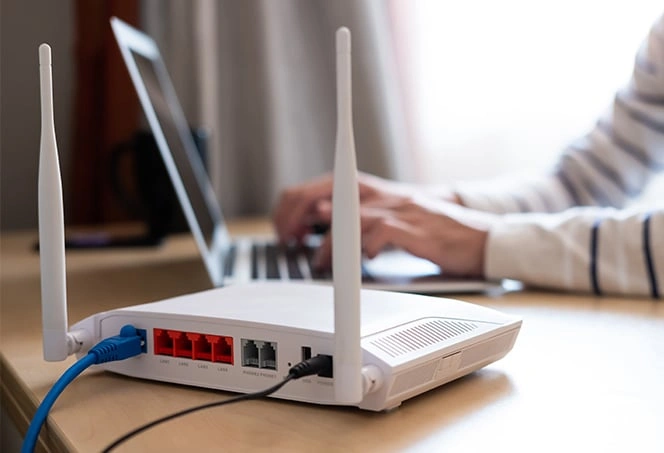
The increasing need for high-tech networking equipment has become a fundamental need because digital systems now function across all parts of the globe. North America is the top leader in residential networking infrastructure, which will continue its strong growth until 2032.
The global home router market will increase by USD 3.34 billion during the period from 2024 to 2029 because high-speed fiber deployments will experience an 8.5% compound annual growth rate (CAGR).
The demand for new routing systems arises from three specific conditions, which include increasing 4K and 8K streaming uptake and rising Internet of Things device usage in homes and the creation of permanent hybrid workspaces.
But what is a router? A router is the main component of this digital system because it takes care of data flow as well as looking after the security of your home network.
Understanding its mechanics and how to choose the right hardware is essential for optimizing your digital life.
Understanding a Router
A router operates as a specialized networking device that controls all data transmission across the network. The modem provides your home with an internet connection which the router distributes to all your connected devices, including smartphones and smart thermostats.
In many setups users utilize a “gateway,” which combines modem and router functions into a single device. The router handles the Local Area Network (LAN) by distributing unique IP addresses to all devices and it prevents your TV from streaming Netflix content to your laptop.
How a Router Works
The router needs data packets from the modem through an Ethernet cable connection to operate. The router processes incoming packets by examining their destination headers to determine the appropriate device, which it will send through wired Ethernet cables or wireless radio waves.
Modern routers primarily utilize two or three frequency bands to manage traffic:
- 2.4 GHz: Offers longer range but slower speeds; ideal for smart home sensors.
- 5 GHz: Provides significantly faster data rates with less interference, though with a shorter range.
- 6 GHz (Wi-Fi 6E/7): The newest frequency, offering a “clear lane” for high-bandwidth tasks like VR and gaming.
Use of the MU-MIMO technology enables connections from multiple devices to be established simultaneously, hence reducing the latencies that might impede the operations.
Why Routers Are Important Today
The importance of a robust router has scaled alongside the complexity of our data needs. Legacy routers, which include Wi-Fi 4 and early Wi-Fi 5 equipment, encounter challenges from network congestion that results in “dead zones” and leads to buffering issues during peak usage periods.
Upgrading to a contemporary router is vital because:
- Bandwidth Handling: Modern units are able to handle gigabit-per-second speeds (about 1,000 Mbps), and the older hardware cannot start to take that.
- Device Capacity: They are designed to handle 50+ simultaneous connections without crashing.
- Security: Newer routers incorporate WPA3 encryption, which delivers superior security protection against “brute-force” hacking attempts when compared to previous encryption standards.
Key Benefits of Using a High-Quality Router
Investing in a dedicated or high-end router provides several distinct advantages:
- Customization: Advanced routers provide users with Quality of Service (QoS) settings, which enable users to give priority to online gaming and work calls while their system continues to download files in the background.
- Security & Parental Controls: Modern routers of today come with two main features, which include built-in antivirus protection and the ability to create time limits and content restrictions for children’s devices.
- Expanded Coverage: When high-gain antennas and mesh technology are available, they provide a solution for seamless coverage solutions across large settings where dead spots are avoided or erased.
- Cost Efficiency: The initial expense of purchasing a router enables users to avoid ISPs’ monthly rental fees, which amount to 10 to 15 dollars. The purchase pays for itself within one year.
Common Use Cases for Routers
Routers are the backbone of various environments:
- Residential: Powering entertainment, remote learning, and home security systems.
- Small Offices: Secure file sharing, VoIP phone system and guest Wi-Fi networks shall be provided.
- Gaming: Relying on the use of specialty gaming routers set to give gaming systems priority traffic to build “Low Ping” environments.
- Smart Homes: Acting as the central hub for automated lighting, climate control, and cameras.
How to Choose the Best Router
Picking the right hardware is based on the specific conditions your environment places on the equipment and your internet service plan.
| Feature | Consideration |
| Standard | Look for Wi-Fi 6 (802.11ax) or Wi-Fi 7 for future-proofing. |
| Speed | Ensure the router’s “AC” or “AX” rating matches or exceeds your ISP plan. |
| Coverage | Use a single powerful router for apartments; use Mesh Systems for multi-story homes. |
| Ports | Ensure it has Gigabit Ethernet ports for stable, wired connections to consoles or PCs. |
You need to test every router because you need to verify which ones work with your Internet Service Provider’s technology requirements. The procedure requires you to test whether the “Cable Router” system operates in locations that require the “Fiber ONT” system.
Best Practices for Setup and Performance
To maximize your router’s potential, follow these optimization steps:
- Central Placement: The router needs to be installed at a height, which provides complete visibility of the surrounding area. The device requires installation outside cabinets and away from large metal objects because these conditions will cause more than 50 percent signal loss.
- Regular Firmware Updates: Patching releases usually go out to fix these security vulnerabilities and increase speed. Check often for it about every quarter.
- Channel Selection: Use auto-channel switching to avoid interference from a neighbor’s Wi-Fi.
- Security Hygiene: It is highly advisable to change your admin-type password right after you have obtained it and tweaked the SSID password to a more secure one that is capable of being controlled and hard to breach.
Choosing the right router and ensuring its proper maintenance will lead to a fast and stable Internet connection for several years.
Final Thoughts
The backbone of every modern internet connection depends on routers as their fundamental component. The basic need for a reliable router has transformed into an absolute necessity because people now use more internet devices and their online requirements have increased.
The selection of a suitable router for home or office or business requirements will improve internet performance through increased speed, extended coverage and enhanced network reliability for all connected devices.