Need to create professional-looking designs but don’t have a design background? AI design tools can make the process much easier.
Instead of starting with a blank canvas, you can use AI to generate ideas, create layouts, edit images, build branded assets, and produce different types of visual content. Depending on the platform, you can create everything from logos and social media graphics to presentations, websites, videos, and marketing materials.
The challenge is finding a tool that actually fits your needs. Some AI design platforms focus mainly on branding, while others are built for everyday content creation. Some give you a large template library to work from, while others put more emphasis on generating designs from a prompt.
To help you choose, we’ve compared six of the best AI design tools in 2026 based on their features, ease of use, design capabilities, and the types of users they are best suited for.
Quick Comparison
Refer to the table below for a quick comparison of the AI design tools:
| Tool | Best For | Key Strength |
| Design.com | All-around business design | AI-powered branding and design tools |
| BrandCrowd | Branding and logo design | Large template library and customization |
| Canva | Everyday content creation | Broad range of AI-assisted design tools |
| Adobe Express | Marketing content | Adobe’s creative ecosystem and AI features |
| Wix | Websites and branded content | AI-powered website and design tools |
| Looka | Brand identity | AI-generated logos and brand kits |
What to Look for in an AI Design Tool
Not every AI design tool is built for the same purpose. Before choosing one, think about what you actually need to create.
Here are some of the most important things to consider:
- Range of AI features: Does the platform offer the tools you need, such as image generation, logo creation, editing, presentations, or website design?
- Types of designs: Check whether you can create the specific assets your business or project requires.
- Templates and design assets: A large library can give you more starting points when you don’t want to generate everything from scratch.
- Customization: AI can create the first version, but you should still be able to change colors, fonts, layouts, images, and other elements.
- Branding features: If you’re creating designs for a business, look for tools that can keep your logo, colors, and fonts consistent.
- Ease of use: The platform should enable users to create useful designs without requiring advanced design skills.
- Export options: Check whether you can download your work in the formats and quality you need.
- Pricing: Free plans can be useful for testing a platform, but check which features are restricted before committing.
1. Design.com
Best for: AI-powered business and marketing design
Design.com is an AI-powered design platform that helps businesses and individuals create a wide range of visual content without needing advanced design skills.
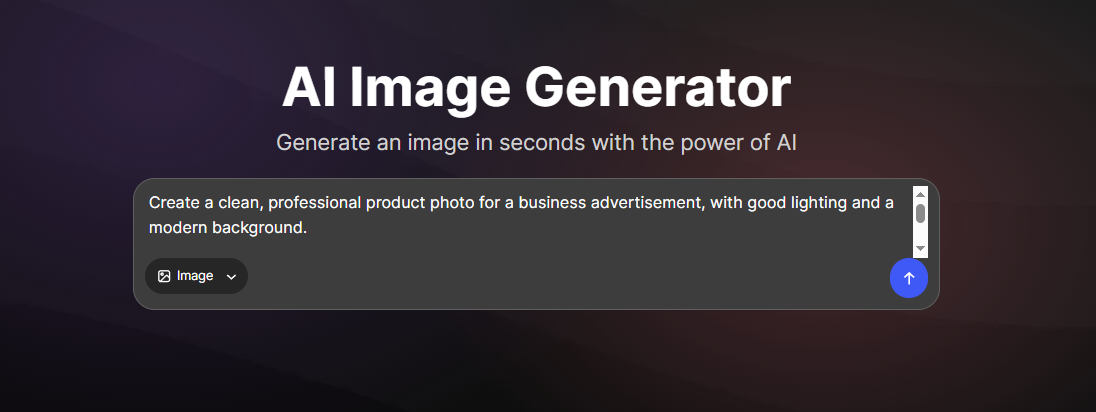
One of its key tools is the AI Image Generator, which lets you create custom images from a text prompt. You can describe the type of image you want, including the subject, style, setting, or visual details, and the tool generates images based on your description.
To test its capability, we tried this prompt:
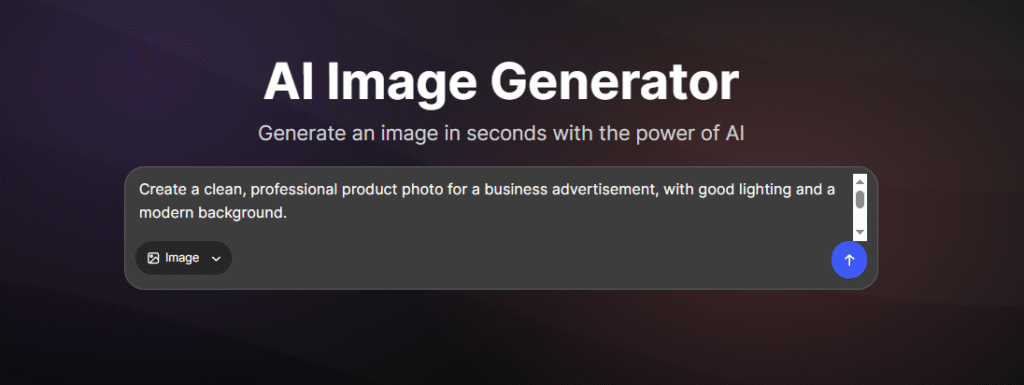
And it gave us a great result! What’s more amazing is that you can talk to its AI chatbot and ask it to make some changes to the image for you.
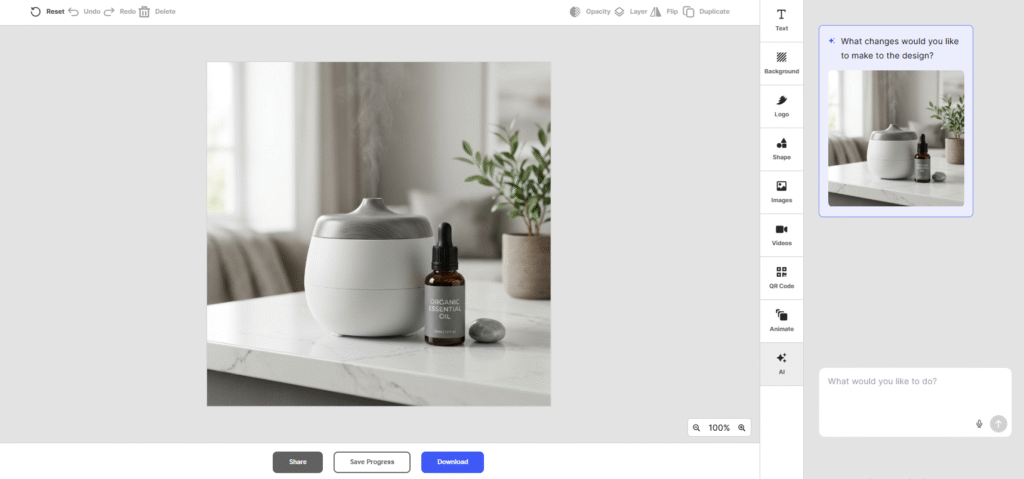
This can be useful when you need visuals for a website, social media post, advertisement, blog article, presentation, or other marketing material. Instead of searching stock libraries for an image that closely matches what you need, you can generate a visual specifically for your project.
The AI Image Generator is also part of Design.com’s wider collection of design tools. You can use the platform for logo design, website creation, presentations, business cards, flyers, and other branded materials, making it useful when you need to create several types of content for the same business.
Key Features
- AI-powered logo generation
- Thousands of logo variations
- AI-generated brand kits
- AI website builder
- AI business card maker
- AI presentation maker
- AI flyer and marketing design tools
- 1M+ templates across the broader platform
- 50+ design tools
- Brand matching across visual assets
What Makes It Useful?
One of Design.com’s biggest advantages is the range of design tools available on the same platform. You can use its AI Image Generator to create custom visuals, then use other tools to turn those visuals into website graphics, social media content, presentations, flyers, business cards, and other marketing materials.
This makes it useful for businesses that regularly need new visual content. Instead of searching for separate tools for image generation, branding, and marketing designs, you can create different types of assets within the same platform.
Design.com also combines AI-generated designs with templates and customization options. This gives you the flexibility to generate something from a prompt, start with a template, or adjust an existing design until it fits your needs.
Who Is It Best For?
Design.com is a strong option for startups, small businesses, entrepreneurs, and marketers who need a variety of design services.
It is especially useful if you’re building a new brand and want your logo, colors, fonts, and other marketing materials to work together.
Potential Limitations
During our testing, we did not find any drawbacks for Design.com.
2. BrandCrowd
Best for: Branding and logo design
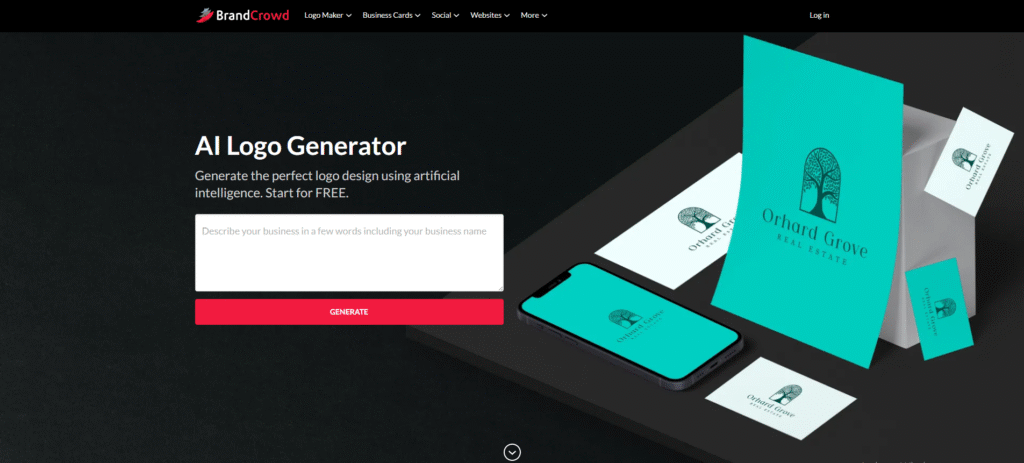
BrandCrowd is best known for its AI Logo Generator, but it has expanded into a broader design platform with tools for creating a range of branded materials.
Its logo maker combines AI-powered generation with a large collection of professionally designed templates. Enter your business name and preferences, and the platform can produce hundreds to thousands of logo ideas to explore.
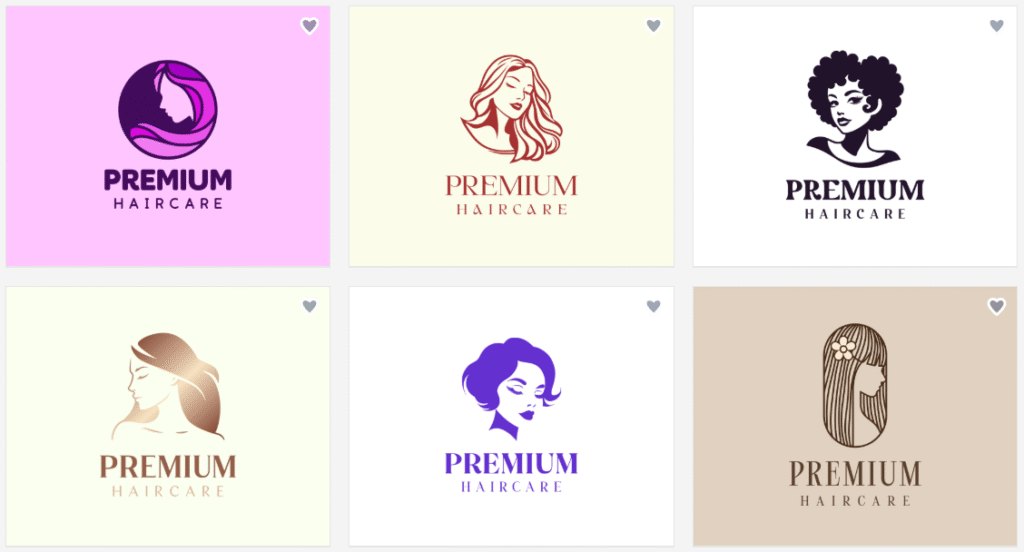
For example, we searched for a logo for a salon business named Premium Haircare and got some amazing results. See some of the results below:
Key Features
- AI-powered logo creation
- 380,000+ logo templates
- 1M+ design templates across the platform
- Brand kit generation
- Business card designs
- Social media templates
- Presentation designs
- Flyers and posters
- Website-related design tools
- AI-powered design tools
- Vector and high-resolution downloads
What Makes It Useful?
BrandCrowd works well for people who want a large selection of professionally designed starting points.
You don’t necessarily have to rely on AI to create a design from scratch. You can browse existing concepts, choose a direction you like, and customize the colors, fonts, layouts, and other elements.
This approach can be helpful if you already have an idea of what your brand should look like but don’t have the design skills to create it yourself.
BrandCrowd also makes it easier to carry your visual identity across different materials. Once you have a logo and brand direction, you can use related templates for social media, business cards, presentations, and other business assets.
Who Is It Best For?
BrandCrowd is a good choice for startups, small businesses, freelancers, and entrepreneurs who want to create a logo and build supporting brand materials around it.
Potential Limitations
BrandCrowd is particularly strong for branding and ready-made design concepts, but it has no native app yet. Users must explore the tool through a web-based interface only.
3. Canva
Best for: Everyday content creation
Canva is one of the most widely used online design platforms, and its AI capabilities have expanded significantly alongside its existing template-based workflow.
The platform can be used for presentations, social media graphics, videos, documents, websites, and many other types of visual content. Canva’s AI tools are designed to help users generate content and speed up common design tasks rather than requiring them to build everything manually.
Key Features
- AI-assisted design generation
- AI image generation
- AI writing and content creation
- Presentation creation
- Social media designs
- Video creation
- Document design
- Website creation
- Large template and asset library
- Brand tools
- Collaboration features
What Makes It Useful?
Canva’s biggest strength is its versatility.
You can use it for a morning social media post, an afternoon presentation, and a marketing document later in the day. Its AI features can help generate content and layouts, while the existing editor gives you control over the final design.
This makes Canva particularly approachable for people who regularly create visual content but don’t want to learn professional design software.
Its broad range of templates is another advantage. Instead of relying entirely on prompts, you can start with an existing design and adapt it to your needs.
Who Is It Best For?
Canva is a strong choice for students, content creators, marketers, small businesses, and teams that need to produce different types of visual content regularly.
Potential Limitations
Because Canva covers so many areas, its AI features may not be as specialized for certain tasks as tools built specifically for branding, logos, or other design categories.
4. Adobe Express
Best for: Marketing content and Adobe users
Adobe Express brings AI-assisted design into a simpler, more accessible environment than Adobe’s more advanced professional creative applications.
It can be used to create social media graphics, marketing materials, videos, images, presentations, and other content. Adobe also integrates generative AI capabilities through Firefly, giving users additional ways to create and modify visual content.
Key Features
- AI-assisted design
- Generative AI features
- Adobe Firefly integration
- Logo and branding templates
- Social media designs
- Image editing
- Video creation
- Marketing materials
- Presentations
- Large template and asset library
- Brand management tools
What Makes It Useful?
Adobe Express is useful if you want a relatively straightforward design experience while still having access to Adobe’s wider creative ecosystem.
Its AI features can help speed up content creation, while templates make it easier to produce designs without starting from scratch.
For marketers, this can be particularly useful when creating multiple types of campaign content. You can work on social posts, promotional graphics, videos, and other assets without needing a separate tool for every format.
Who Is It Best For?
Adobe Express is best suited to marketers, creators, small businesses, and existing Adobe users who want easier access to AI-assisted design tools.
Potential Limitations
Users looking for a dedicated brand-building experience may find platforms such as Design.com, BrandCrowd, or Looka more focused on logos and brand identity.
5. Wix
Best for: Websites and branded content
Wix has expanded its AI design capabilities through Wixel, an AI-powered design platform that can create images, logos, videos, documents, presentations, social posts, and other assets.
This makes Wix particularly interesting for businesses that need both a website and the visual content that supports it.
Key Features
- AI website tools
- AI logo generator
- AI image generator
- AI video maker
- AI document creation
- AI presentation tools
- Social media designs
- Photo editing
- PDF editing
- AI design agent
- Professionally designed templates
- Brand settings and asset creation
Wixel’s AI design agent, Aria, can work with users through conversation to suggest designs, edit elements, and refine projects. It can also help turn one design into related assets for a wider campaign.
What Makes It Useful?
Wix stands out because its AI design tools can be connected to a broader website-building workflow.
For example, a business could create a website and then work on supporting visual content such as logos, social posts, images, and promotional materials.
Wixel also takes a broader approach to AI design. Rather than treating each asset as a separate project, it can help users build a collection of related content with a consistent look.
Who Is It Best For?
Wix is a good option for small businesses, entrepreneurs, and creators who want to combine website creation with AI-powered design and content tools.
Potential Limitations
If you don’t need a website or the broader Wix ecosystem, the platform may offer more functionality than you need.
6. Looka

Best for: Brand identity
Looka focuses heavily on helping businesses establish a visual brand identity.
Its AI-powered logo maker generates logo concepts based on your business information, while its Brand Kit extends that identity across other marketing materials.
Key Features
- AI logo maker
- Logo customization
- Brand Kit
- Social media designs
- Business cards
- Email signatures
- Letterheads
- Presentations
- Flyers
- Posters
- Brand guidelines
- Other branded marketing materials
Looka’s Brand Kit provides access to more than 300 branded templates based on your logo, colors, fonts, and other brand elements. These include social posts, business cards, email signatures, presentations, proposals, brochures, newsletters, and more.
What Makes It Useful?
Looka is particularly useful if your main priority is creating a consistent brand identity.
Instead of generating a logo and then figuring out how to apply it to your marketing materials, the Brand Kit gives you a collection of designs that already use your brand’s visual style.
This can save time for new businesses that need a basic set of marketing materials but don’t have an in-house designer.
Who Is It Best For?
Looka is best for startups, entrepreneurs, and small businesses that want to create a logo and quickly build a consistent visual identity around it.
Potential Limitations
Looka is more focused on branding than general-purpose design. If you regularly need to create a wide range of unrelated content, a broader platform such as Canva or Adobe Express may be more suitable.
AI Design Tools Compared
Each platform has a different focus, so the right choice depends on what you’re trying to create.
| Tool | Logo Design | Brand Kit | AI Image Tools | Website Tools | Marketing Designs | Best For |
| Design.com | ✓ | ✓ | ✓ | ✓ | ✓ | Complete business design |
| BrandCrowd | ✓ | ✓ | ✓ | ✓ | ✓ | Branding and business assets |
| Canva | ✓ | ✓ | ✓ | ✓ | ✓ | Everyday content creation |
| Adobe Express | ✓ | ✓ | ✓ | – | ✓ | Marketing content |
| Wix | ✓ | ✓ | ✓ | ✓ | ✓ | Websites and branded content |
| Looka | ✓ | ✓ | – | – | ✓ | Brand identity |
Which AI Design Tool Is Best for You?
There isn’t one AI design tool that is perfect for everyone. Your choice should depend on the type of work you need to do.
Best Overall: Design.com
Design.com is a strong all-around choice for businesses that need to create multiple types of branded content. Its combination of AI tools, templates, branding features, and business-focused design tools makes it useful for more than a single design project.
Best for Branding: BrandCrowd
BrandCrowd is a strong option if your priority is creating a logo and extending it across other business materials. Its large collection of logo templates gives users plenty of starting points.
Best for Everyday Content: Canva
Canva is a practical choice for people who regularly create social media graphics, presentations, documents, videos, and other content.
How to Choose the Right AI Design Tool
Before signing up for an AI design platform, take a few minutes to think about what you actually need.
1. Decide What You Need to Create
Start with the basics. Do you need a logo, social media graphics, presentations, images, a website, or all of these?
A tool with dozens of features isn’t necessarily better if you only need one specific type of design.
2. Look at the AI Features
AI can mean very different things from one platform to another.
Some tools generate complete designs from prompts. Others use AI to edit images, suggest layouts, generate text, or adapt existing designs.
Check the actual features rather than choosing a tool simply because it describes itself as AI-powered.
3. Check the Template Library
Templates can save a lot of time, especially when you already know the type of design you want.
Look for platforms with templates that match your industry, preferred style, and intended use.
4. Make Sure You Can Customize the Results
AI should give you a starting point, not take away your control.
You should be able to adjust important details such as colors, fonts, images, layouts, and text before using the finished design.
5. Think About Your Brand
If you’re creating designs for a business, consider whether the platform can help you maintain a consistent visual identity.
Features such as brand kits, saved colors, fonts, logo matching, and reusable templates can make creating future designs much easier.
6. Check the Export Options
Before paying for a platform, check how you can download your designs.
If you need high-resolution images, transparent backgrounds, PDFs, or vector files, make sure the platform supports the formats you need.
7. Test It Before Committing
Many AI design tools offer free plans or free access to at least some features.
Use that opportunity to create a few real designs. This will give you a better idea of how useful the AI actually is and whether the editing experience works for you.
Final Thoughts
AI design tools have made professional-looking designs much more accessible. You no longer need to be an experienced designer to create a logo, social media graphic, presentation, website, or other business asset.
However, the best tool depends on what you’re trying to accomplish.
On this list, we recommend Design.com as the best all-around AI design tool for businesses that need to create a range of branded content in one place. Its combination of AI-powered design tools, templates, branding features, and business-focused tools makes it a practical option for creating everything from logos and websites to presentations, images, and marketing materials.
The most important thing is to look beyond the AI label. Choose a platform based on the designs you actually need, the amount of customization you want, and how easily you can turn your initial AI-generated ideas into finished designs.